QFX to QIF converter
Going backwards, on purpose. QIF is older and simpler, and it is what a surprising amount of software still accepts.
Free, no accountNothing is uploadedNo file size limit
Drop your .qfx file here
or click to choose a file · nothing is uploaded
Which column is which
A CSV does not say what its columns hold, so these are worked out from the file. Correct any that came out wrong and the download updates.
Two amount columns means the first is money out and the second money in. Leave the second as none when one column carries its own minus signs. Date order is detected from the file, and can only be detected when at least one date falls after the 12th: set it by hand if every date in your file is early in the month.
Account details
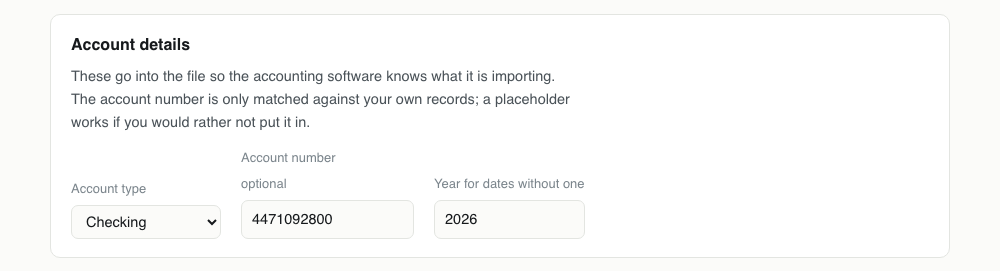
These go into the file so the accounting software knows what it is importing. The account number is only matched against your own records; a placeholder works if you would rather not put it in.
Converting QFX to QIF, step by step
1Be sure QIF is really what you need
Check the import menu of the software you are feeding. If OFX or QFX is on the list, use that and close this page: this conversion throws away the transaction ids and there is no reason to pay that cost unless the other end forces it.

2Drop the QFX in
Any of .qfx, .ofx or .qbo is accepted, because all three are the same format wearing different labels. The transactions are read with their payees, memos and cheque numbers.
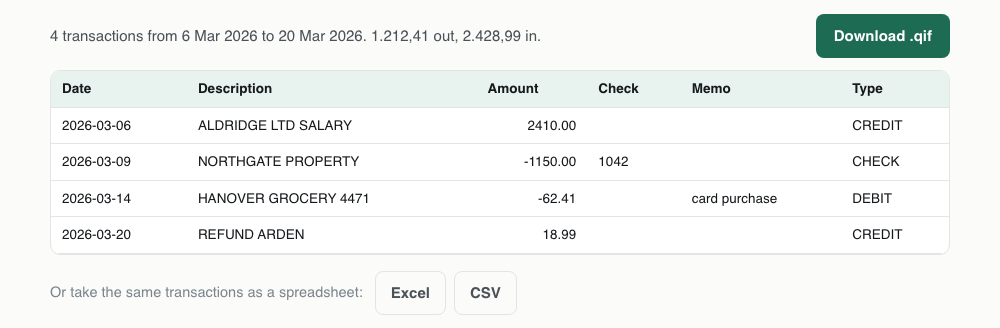
3Set the account type
It decides the header line of the QIF: !Type:Bank or !Type:CCard. The receiving software uses that line to pick a register, so a credit card sent through as a bank account lands somewhere you will have to delete it from.
4Download and open it before importing
QIF is plain text and each record is five short lines. Opening it in an editor takes ten seconds and is worth doing once, because it is the format you can still fix by hand if a payee came through badly.

One QFX transaction, and the QIF it becomes
Watch the FITID disappear. Everything else makes the trip; that one line is the price of the older format.
<STMTTRN>
<TRNTYPE>DEBIT
<DTPOSTED>20260314120000
<TRNAMT>-62.41
<FITID>0000012049918
<NAME>HANOVER GROCERY 4471
<MEMO>card purchase
</STMTTRN>D03/14/2026
T-62.41
PHANOVER GROCERY 4471
Mcard purchase
^What survives QFX to QIF
This is the only conversion on the site that ends with less than it started with. Know what you are giving up before you download.
| Field | What happens to it | |
|---|---|---|
| Date | Kept | Written as MM/DD/YYYY, the one notation every QIF reader accepts |
| Payee | Kept | NAME becomes the P line |
| Memo | Kept | MEMO becomes the M line |
| Amount | Kept | Two decimals, sign preserved |
| Cheque number | Kept | CHECKNUM becomes the N line |
| Transaction id | Lost | QIF has no field for it, so duplicate protection is lost. This is the cost of the conversion |
| Balance and account | Lost | Closing balance, account number, routing number and currency have nowhere to go |
Importing the QIF
In Quicken: File, then File Import, then QIF File. Note that current Quicken will only take a QIF into cash, asset and liability accounts, so if you are aiming at a checking account this is the wrong target format and QFX is the right one.
In MS Money: File, then Import, then Downloaded statement, and point it at the QIF. Money is happy with the format and has no account type restriction.
In GnuCash: File, then Import, then Import QIF. GnuCash will ask you to match the QIF account to one of yours and to confirm the date format it detected, which is the safety net this format otherwise lacks.
When going back to QIF is the right move
Three cases come up. Older versions of Quicken and MS Money read QIF and nothing newer. Some accounting packages outside the US never implemented OFX. And QIF is plain text with one field per line, which makes it the easiest format to edit by hand when you need to fix a handful of payees before importing.
If your software takes OFX, give it the OFX. This conversion loses information, and there is no reason to accept that loss unless something at the other end requires it.
What is lost on the way
The transaction ids, and they are the important loss. The FITID that made your imports safe against duplication has no field in QIF. After converting, importing the same file twice will import everything twice, and the receiving software cannot help you.
Also gone: the account and routing numbers, the closing balance, and the currency, none of which QIF records. Kept: date, amount, payee, memo and cheque number, which is what most imports actually use.
Keep the original
Because the conversion is lossy, the QFX is the copy worth archiving. If a year from now you need to reconcile against the bank's own reference for a transaction, that reference exists only in the original file.
This is the opposite of the usual advice about intermediate files. Here the input is richer than the output, so the input is the record.
Dates are written unambiguously
Output uses MM/DD/YYYY with a four digit year. Every version of Quicken and every tool that reads QIF accepts it, and it avoids the apostrophe notation, which exists for a two digit year problem that stopped mattering a long time ago.
If the software you are importing into is set to a day first locale, check the first few rows after import. QIF gives it no way to know which order the file used, so a locale mismatch shows up as dates that are quietly wrong rather than as an error.
Type information becomes description
OFX distinguishes a cheque from an ATM withdrawal from a point of sale purchase with the TRNTYPE tag. QIF has no equivalent, so that distinction leaves the file.
In practice it rarely matters, because the payee text usually carries the same information in a form a human reads. But if you were relying on the type to drive rules in your accounting software, those rules will need rewriting against the payee instead.
QIF problems, and what causes them
| What you see | Why | What to do |
|---|---|---|
| Quicken will not let me choose a checking account | Current Quicken restricts QIF import to cash, asset and liability accounts. | Use the original QFX, or convert QIF to QFX instead. Both routes avoid the restriction entirely. |
| Importing twice duplicated everything | QIF has no transaction ids, so the receiving software has nothing to match against. | Undo or delete the second batch, and keep a note of which periods you have imported. The ids exist in the original QFX, which is the file to keep. |
| The dates came in day and month swapped | The output is written MM/DD/YYYY, and the software reading it is set to a day first locale. | Change the import locale or date preference in the receiving software. Nothing in a QIF states which order it used. |
| Cheques no longer show as cheques | OFX records a transaction type and QIF has no equivalent field, so the distinction leaves with the format. | The cheque number does survive on the N line, so rules keyed on that still work. Rules keyed on the type need rewriting against the payee. |
| The whole file imported as one transaction | A record is missing its closing caret, usually after hand editing, so the reader ran two records together. | Open the QIF and check that every record ends with a line containing only a caret. |
QFX to QIF questions
- Why would I convert QFX to QIF rather than the other way round?
- Because something downstream requires QIF: an old Quicken, MS Money, or a package that never implemented OFX. QIF is also plain text, so it is the easiest format to hand edit before import.
- Do I lose anything converting QFX to QIF?
- Yes. Transaction ids, account numbers, the closing balance and the currency have no place in a QIF. Date, amount, payee, memo and cheque number all survive.
- Will the QIF import cause duplicates?
- It can, and this is the main risk. Without transaction ids the receiving software has nothing to match on, so import each file once and keep track of what you have already done.
- Can I open the QIF to check it first?
- Yes, and it is worth doing. QIF is plain text: rename it to .txt or open it in any editor and every field is legible.